Voice to text & translation for iPhone

Say it.
Copy it.

Speak for up to three minutes. SayCopy hands back clean, ready-to-paste text — or a translation — so you can drop it into any app in seconds.

Download on theApp Store AndroidComing soon
  • Free download
  • No account
  • No subscription
  • No ads or tracking
EN → ES Copied ✓
Paste it into
  • Messages
  • Email
  • Notes
  • Slack
  • WhatsApp
  • Docs
  • AI prompts
  • …anything with a text box

How it works

Three taps from thought to text.

No typing on a tiny keyboard. No fixing autocorrect. Just talk.

  1. 01

    Tap and speak

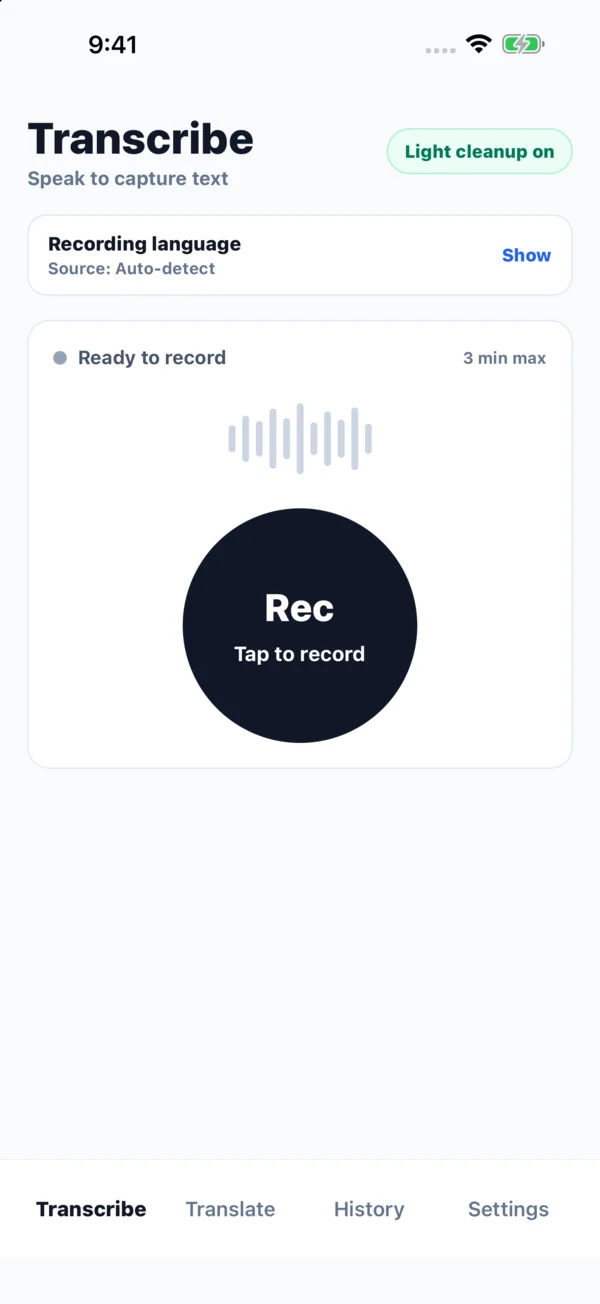
    Record a message, note, or idea — up to three minutes. Tap again when you're done.

  2. 02

    Get clean text

    SayCopy transcribes it. Turn on Light cleanup to tidy punctuation, or use the Translate tab to translate text.

  3. 03

    Copy or share

    One tap copies it. Or send it straight to any app from the share sheet.

Features

Small app. Surprisingly capable.

Everything you need to turn speech into text you'd actually send — nothing you don't.

Light cleanup

Sounds like you. Reads like you meant it.

Fixes punctuation, capitalization, and obvious filler — without rewriting what you said or changing the language.

Raw transcript

um so yeah can we uh move the call to thursday at like 3 does that work

With Light cleanup

So, can we move the call to Thursday at 3? Does that work?
Translate

Speak one language. Send another.

Type, paste, or speak in any of 11 languages on the Translate tab, listen to the result, and save it with tags to practice later.

  • See you at the station at eight.
  • Nos vemos en la estación a las ocho.
  • أراك في المحطة الساعة الثامنة.

Auto-detect

Just start talking.

Not sure which language you'll use? Auto-detect recognizes it and keeps your transcript in the language you spoke.

History

Find it again later.

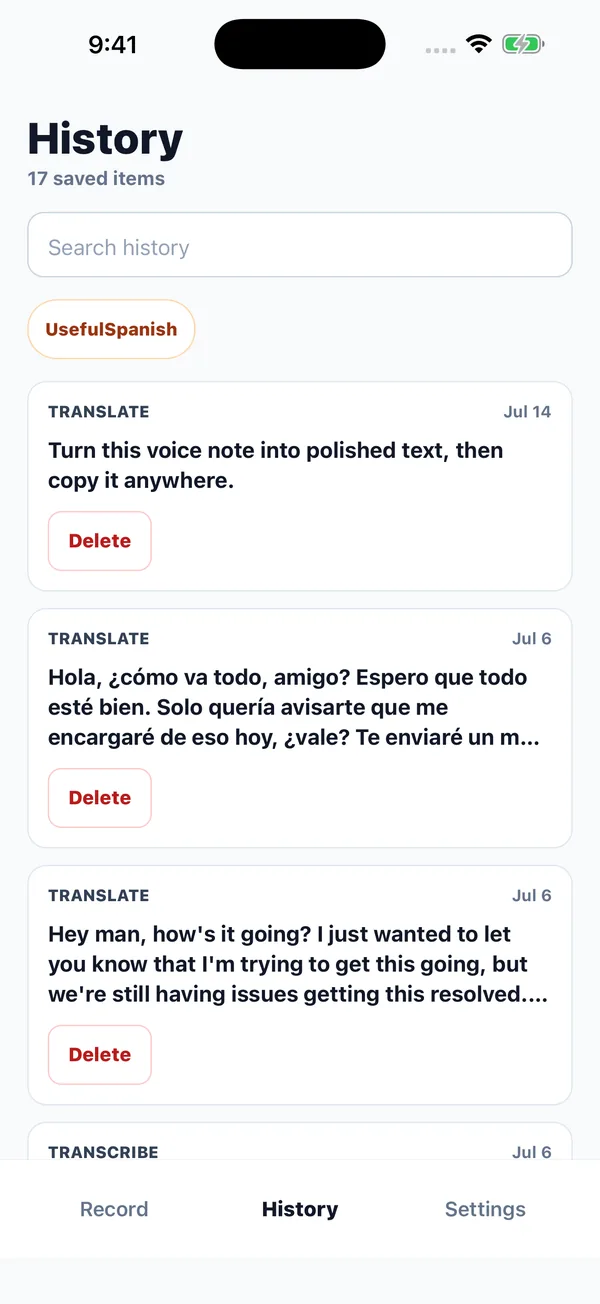
Transcriptions appear in History on your device. Save translations when you want to find them later, then search, tag, and copy them anytime.

Your models

Choose speed or quality.

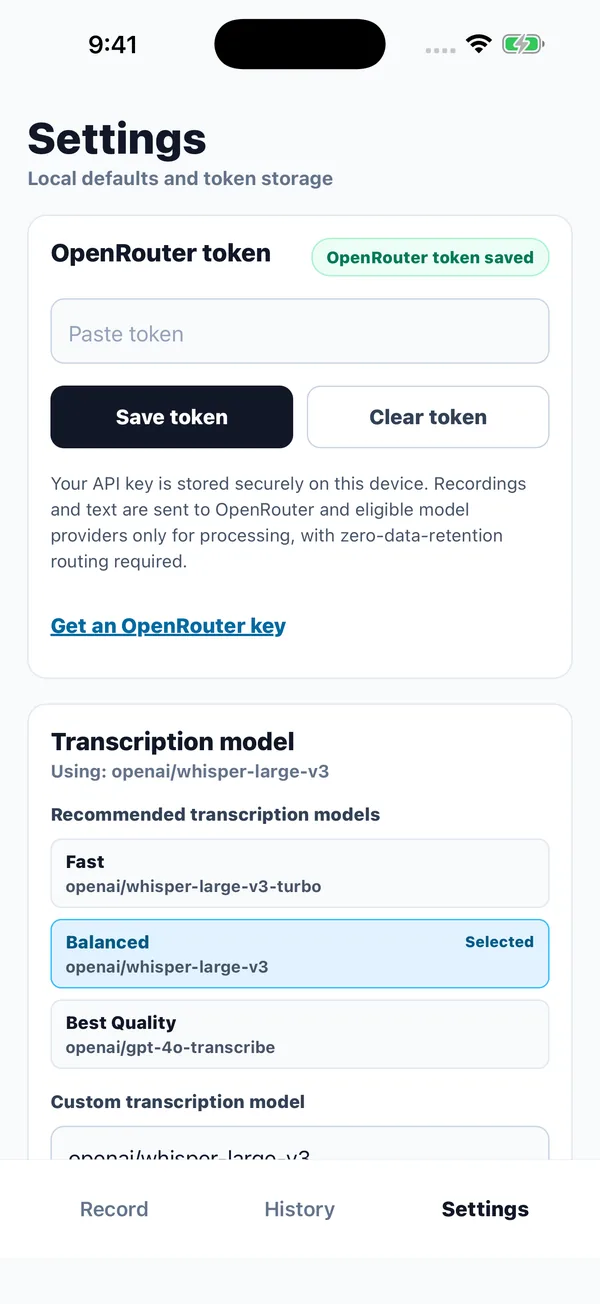
Use the recommended defaults, choose Fast, Balanced, or Best Quality for translation and cleanup, or browse OpenRouter models and pick exactly the one you want.

A look inside

Focused on the one thing you opened it for.

SayCopy Transcribe screen with the recording language and a large record button
Transcribe
SayCopy History screen with a search field, a tag filter, and saved transcriptions and translations
History
SayCopy Settings screen for the OpenRouter token and model choices
Settings

Private by design

Your words stay yours.

There's no SayCopy account and no SayCopy server holding your recordings. Audio leaves your phone only when you ask for a transcription or translation.

Read the privacy policy →
  • History stays on your device Saved text lives in a local database — no cloud sync, no backup to us.
  • Your key is locked away Your OpenRouter key is kept in your phone's secure storage.
  • Zero-data-retention routing Every request asks OpenRouter for zero-data-retention routing.
  • No ads, tracking, or analytics No ad SDKs, no cross-app tracking, and no analytics SDK in the app.

Questions

Good to know.

More answers in Help & FAQ.

Is SayCopy free?

Yes, the app is free to download with no subscription or in-app purchases. The speech and text models run through your own OpenRouter account, which charges for what you use.

What is OpenRouter, and why do I need a key?

OpenRouter gives access to many AI models from one account. Using your own key means SayCopy doesn't need an account, a server, or a subscription, and you stay in control of spending. The setup guide walks you through it.

Which languages does it support?

English, Spanish, Arabic, French, German, Italian, Portuguese, Chinese, Japanese, Korean, and Hindi, plus Auto-detect. The Translate tab translates between any of them.

How long can a recording be?

Up to 3 minutes per recording. SayCopy stops automatically at the limit and processes what you recorded.

Is there an Android version?

It's on the way to Google Play. The iPhone app is available now on the App Store.

Stop typing. Start saying.

Free on the App Store. Android coming soon.